

AWS vs. Azure vs. Google Cloud: A Cloud Migration Assessment Checklist for Choosing the Right Platform
November 26, 2026, 5:30 AM
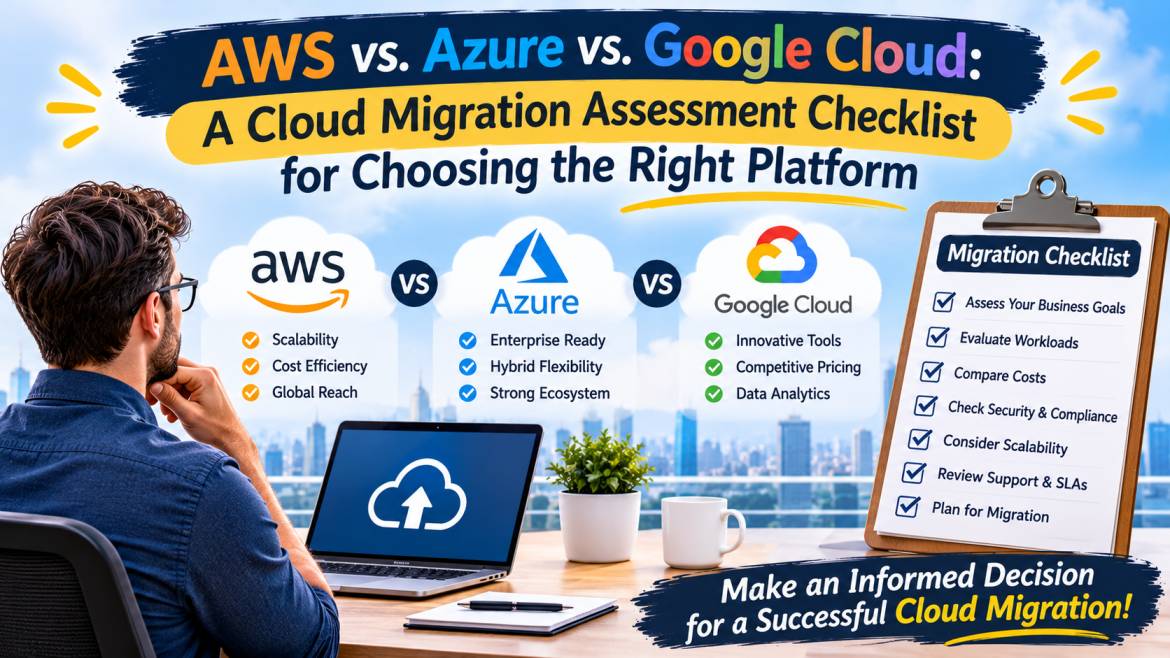
The option of moving workloads to AWS vs Azure vs Google Cloud has a significant effect on a business’ cost, security and future development. Undertaking a cloud infrastructure review helps to shape a cloud strategy that is tailored to your business; based upon your workloads, and contracts and data.
Companies migrate to the cloud for its flexibility, security and cost benefits. Amazon Web Services, Microsoft Azure and Google Cloud are most commonly favoured due to their extensive infrastructure and AI investment.
Whilst many consider the availability and variety of services provided by a cloud provider, an area that should be given greater consideration is ‘data gravity’. Although virtual machines can easily be relocated, once data is deployed, and subsequently enhanced through analytics, AI and integration services, it tends not to change location. Therefore, it is likely that the cloud provider that stores your biggest data sets will continue to house your analytics and AI for many years. Consequently, the cost of leaving a cloud provider is an important consideration – as well as the cost of joining one.
Overview of AWS, Azure and Google Cloud
These are all prominent cloud providers, and each has developed in a unique way.
Amazon Web Services
AWS cloud platform provides the most varied cloud provision. As well as providing compute, storage and networking, it has AI related services including Amazon SageMaker and Amazon Bedrock. Start-ups, as well as established and native cloud businesses utilise AWS for its wide service range and global infrastructure.
Microsoft Azure
Microsoft Azure cloud builds on the Microsoft products and services that many businesses already use. Seamless links exist between Azure and Microsoft 365, Windows Server, SQL Server and Active Directory (now known as Microsoft Entra ID) to make managing identities and licences easier. Azure also provides robust hybrid cloud services.
Google Cloud Platform
Built upon the infrastructure which powers Google Search and YouTube, Google Cloud Platform is renowned for its data analytics (BigQuery), Vertex AI for AI and machine learning and Google’s original creation, Kubernetes. Again, all three cloud providers can host a wide range of workloads, but the key differentiators are cost, ease of integration and suitability for your business.
Key Differences Between AWS, Azure and Google Cloud
AWS Azure GCP comparison fares as follows:
|
Comparison Factor |
AWS |
Azure |
Google Cloud |
|
Core strengths |
Broad cloud services |
Microsoft ecosystem and hybrid cloud |
Data analytics and AI |
|
Compute |
Amazon EC2 |
Azure Virtual Machines |
Compute Engine |
|
Storage |
Amazon S3 |
Azure Blob Storage |
Cloud Storage |
|
Kubernetes |
Amazon EKS |
Azure AKS |
Google GKE |
|
Serverless |
AWS Lambda |
Azure Functions |
Cloud Run / Cloud Functions |
|
Databases |
Amazon RDS, DynamoDB |
Azure SQL, Cosmos DB |
Cloud SQL, Bigtable |
|
AI and ML |
AWS AI services |
Azure AI services |
Vertex AI |
|
Hybrid cloud |
AWS hybrid offerings |
Azure Arc and hybrid ecosystem |
Google Distributed Cloud |
|
Enterprise integration |
Broad enterprise ecosystem |
Strong Microsoft integration |
Data and analytics ecosystem |
Which Cloud Service Is Best for My Business?
In AWS vs Azure comparison, AWS is often favoured by businesses requiring the most diverse infrastructure choices. Azure is well suited to those organisations that extensively use Microsoft technology. For Google Cloud vs AWS and Azure vs Google Cloud, Google excels in data analytics, AI and machine learning, and Kubernetes. The most suitable cloud provider is therefore likely to be the one whose specialisms align with your most important workloads.
Checklist for Choosing the Right Cloud Provider (AWS, Azure or Google Cloud)
Proceed through the following 10 areas:
1. Review your Current IT Infrastructure
An IT infrastructure assessment is fundamental to your cloud infrastructure transition. Items to analyse include:
- Servers, storage, databases and applications
- Legacy and old technology
- Applications and their current performance
- Ready for transition workloads
Many of these areas can be analysed automatically using Azure Migrate, AWS Application Discovery Service and Google Cloud Migration Centre.
2. Analyse Application Suitability and Workload Needs
In this review, categorise your applications into three areas of cloud workload assessment:
- Those that can be directly transferred
- Those that require updating
- And those that are containerisable
Investigate the compatibility of your applications with particular operating systems and run-times. Note any workloads that require specific hardware such as GPU’s and/or higher memory resources, or bespoke set-up. This stage establishes the extent to which your applications can be transitioned with cloud application compatibility and also determines the rate at which this occurs.
3. Analyse Cloud Costs and Total Cost of Ownership (TCO)
Accurately analysing TCO involves:
- Calculating costs relating to computing, storage, networking and databases
- Comparing pay-as-you-go and contracted pricing
- Plus factoring in transition, licence, support and ongoing management costs.
Separately analyse data import and export costs as these increase in line with the number of integrations. Furthermore, the labour involved in transitioning to the cloud should be incorporated into the overall cloud migration cost.
AWS Cost Analysis
AWS has a pricing calculator and can offer cost savings via Reserved Instances and Savings Plans for consistent workloads.
Azure Cost Analysis
Azure has a pricing calculator. Combined with its Azure Hybrid Benefit, which enables existing Windows Server and SQL Server licences to be applied to cloud workloads, this frequently determines in favour of Azure in AWS versus Azure pricing analyses for mainly Microsoft based estates.
Google Cloud Cost Analysis
Whilst Google Cloud automatically applies quantity discounts to many of its compute services, it also provides further cost savings through contracted use discounts. Additional cost control features include rightsizing suggestions and budget notifications.
Analysing one workload type with all three pricing calculators provides the clearest insight into the relative costs of AWS, Azure and Google Cloud.
4. Analyse Security, Compliance and Governance Needs
A cloud security assessment involves investigating identity and access, data encryption (both at rest and in transit) and security threat identification. Products available for detecting security threats include Amazon GuardDuty, Microsoft Defender for Cloud, and Google Security Command Centre.
Relate your cloud compliance requirements – for instance HIPAA, PCI DSS, SOC 2 and FedRAMP – to the relevant cloud provider’s accreditations. Ascertain where your data should be stored and establish auditing rules. Typically, all three cloud providers provide strong security foundations. However, the main determinant of cloud security is often how well each provider fits with your current identity and auditing procedures.
5. Analyse Scalability, Performance and Availability
Analyse present and projected business needs. Subsequently, trial auto-scaling functionality to analyse cloud scalability. Investigate local cloud availability to best serve your customers. Establish required system availability levels and analyse latency. Create a zone-based cloud high availability solution and a regionally distributed disaster recovery solution. Set recovery goals. An empirical cloud performance comparison is generally more accurate than relying solely on published information.
6. Analyse Integration with Existing Business Systems
This process analyses the integration of key Business Systems (for example Microsoft, Linux, SAP and Oracle) together with identity, licence and external product integration. Due to its natural synergy with Microsoft, Azure is highly capable of integrating with Microsoft ecosystems. When transitioning to hybrid cloud, analyse dedicated interlinkages such as AWS Direct Connect, Azure ExpressRoute and Google Cloud Interconnect. Good business system cloud integration minimises the need for re-engineering.
7. Analyse Data Transition Needs
As previously discussed, data has a tendency to remain in its initial location. Consequently, a good cloud data migration strategy should address:
-
Data size and nature
-
Database compatibility
-
Estimated transition time and disruption
-
Backup requirements
-
Validation processes
All three cloud providers provide managed transition services for databases. In general, analytics and AI are attached to data and so cloud data transition is often a long-term decision regarding which cloud provider to use.
8. Analyse Staff Skills and Functionality
Analyse your workforce’s cloud migration skills of AWS, Azure and GCP and recognise training requirements. Examine current DevOps, monitoring and incident management capability to support cloud functionality. If there is a skills shortage, cloud managed services or cloud transition consultancy can assist. Usually, a workforce with expertise in one cloud provider achieves better results on that platform despite it perhaps having less technical prowess than another.
9. Analyse Vendor Lock-In and Portability
Whilst specialised databases, serverless and AI cloud services expedite business process development, they also boost vendor lock-in. Clearly set out which speciality cloud services you wish to implement and determine if a multi-cloud strategy is necessary. Containers and open technologies can be used to improve cloud portability.
Since 2024, all three cloud providers have offered refunds on export costs, subject to certain stipulations, to businesses that completely discontinue using their services. Nevertheless, ongoing inter-cloud data flow continues to attract charges. Both aspects need to be analysed in a cloud vendor analysis.
10. Analyse Transition Strategy, Risks and Business Goals
Your cloud migration roadmap should set out key stages. Furthermore, it should classify workloads according to their level of value and risk and highlight essential Business Systems. Develop contingency plans and ascertain the degree of disruption that can be tolerated for each system. Finally, prioritise transition by initially transferring low risk applications. This last element of the cloud transition review enables formulation of a practical cloud transition strategy.
Cloud Provider Evaluation by Workload
Best Cloud Provider for Enterprise Applications
Azure is a good choice for a Microsoft focused business. AWS has the most extensive ecosystem of cloud partners for enterprise applications, for example SAP and bespoke enterprise resource planning (ERP) solutions.
Best Cloud Provider for AI and Machine Learning
Google Cloud provides an end-to-end cloud AI solution utilising Vertex AI and TPUs for both training and inference. Azure provides access to OpenAI models within its secure enterprise environment. AWS uses SageMaker for cloud machine learning, Bedrock for foundational models and also has proprietary Trainium and Inferentia chips for AI. Before finalising a decision, check that the requisite numbers of GPU’s are available in the regions in which you intend to deploy.
Best Cloud Provider for Data Analytics and Big Data
Google Cloud’s BigQuery allows effortless, largely hands-free querying of vast data-sets in the cloud data analytics field. AWS provides Redshift, Kinesis and EMR. Meanwhile, Microsoft Fabric is central to Azure’s data analytics provision. Within cloud big data, Google frequently provides the easiest solution, whereas AWS typically allows the greatest degree of customisation.
Best Cloud Provider for Start-ups and Small Businesses
Often, new businesses choose the best cloud provider for startups based on credit availability, ease-of-use and the provision of managed services. All three providers have initiatives specifically aimed at start-ups. Managed cloud services such as Google Cloud Run, Azure App Service and AWS Lambda support streamlined functionality for small businesses especially, given that these often have limited in-house IT resources.
Best Cloud Provider for Hybrid Cloud
Azure Arc is pre-eminent for providing unified management of hybrid cloud platforms. AWS Outposts embeds AWS infrastructure within a business’ on-site data centre. Google Distributed Cloud facilitates both connected and offline hybrid cloud deployment. The optimal hybrid cloud provision is influenced by both where your data needs to be hosted and your current data management methods.
Recognized for Excellence